
Skip to content
InVid Cloud AI

If the recorder goes, the footage doesn't.

InVid Cloud AI adds an off-site cloud backup to the DVR or NVR your customer already has. They get AI search, daily health checks and up to 3 years of retention, without ripping out a single camera.

Any brand
DVRs, NVRs and IP cameras
30 days to 3 years
Cloud retention
8 to 128 channels
Per Cloud AI Bridge
No port forwarding
On any job

Every recorder is a single point of failure

When all the video lives in one box on site, one bad day can wipe out the footage your customer needs most.

Stolen or smashed
Take the recorder, and the evidence leaves with it.
A drive fails
Nobody notices until the clip they need isn't there.
The site takes damage
Fire, water or a power event takes the recorder down too.
Recorder only Recorder + InVid Cloud AI
Off-site copy None ✓ Footage backed up to the cloud
Retention Limited by the drives in the box ✓ 30 days up to 3 years
Finding an incident Scrubbing the timeline ✓ AI text search for people, vehicles, events
Camera goes offline Found when someone needs footage ✓ Daily device health monitoring
Multiple locations Managed site by site ✓ Every site in one dashboard

How it works

The recorder stays. One small device sends a copy to the cloud.
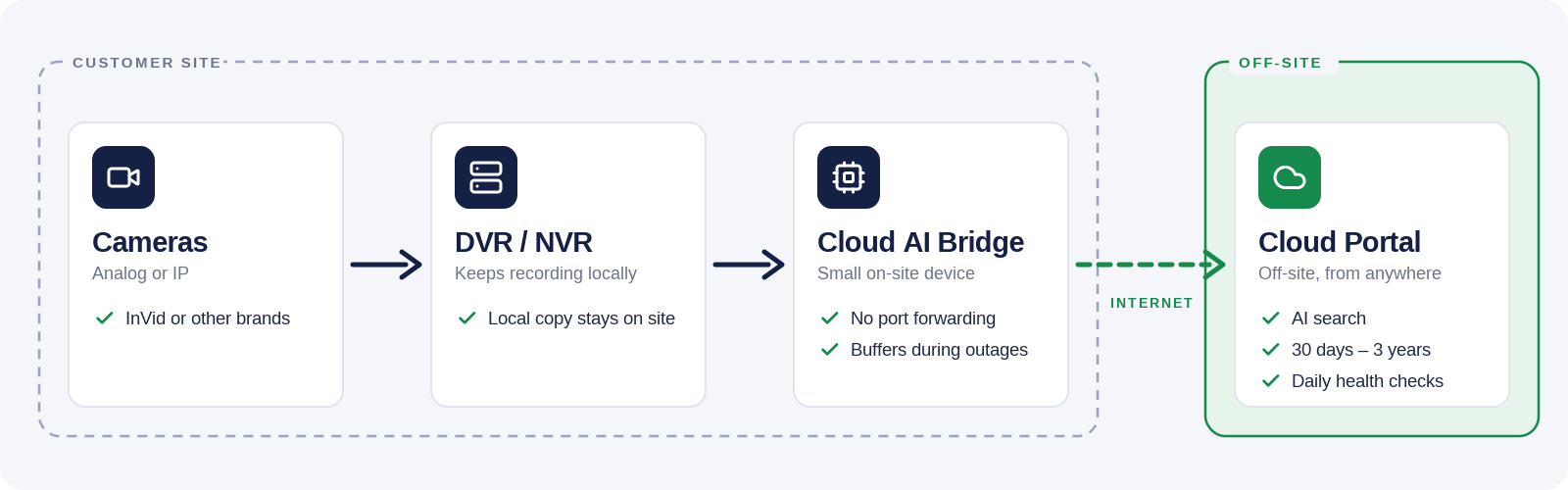
How InVid Cloud AI works: cameras and DVR/NVR record on site, the Cloud AI Bridge uploads to the off-site cloud portal
1
Cameras + recorder
Keep recording locally. InVid or any brand.
2
Cloud AI Bridge
Saves locally, uploads to the cloud. No port forwarding.
3
Cloud portal
Recordings, AI search and site health in one dashboard.

More than a backup

The footage is safe off site. The AI makes it faster to use.
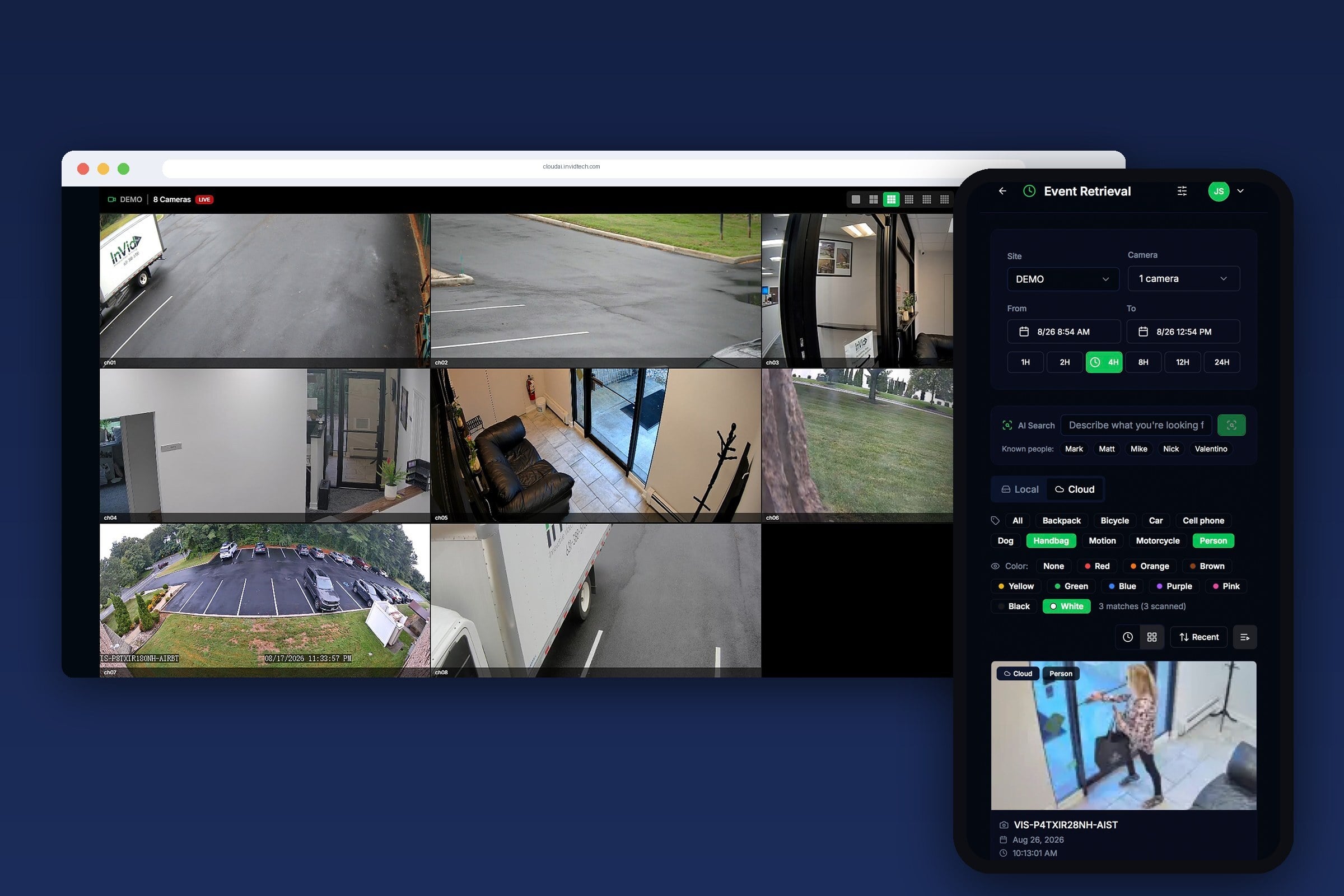
InVid Cloud AI live view and mobile AI search
AI text search
Type “person” or “vehicle” instead of scrubbing hours of video.
Daily health checks
Cameras, recorders and network checked every day.
Outage protection
Bridge buffers locally and uploads when the internet's back.
Multi-site
Every location in one dashboard.

Build the quote in two picks

A one-time Bridge sized to the channel count, plus an annual storage license per camera.

Pick 1

A Cloud AI Bridge

One-time hardware purchase, sized by channel count.
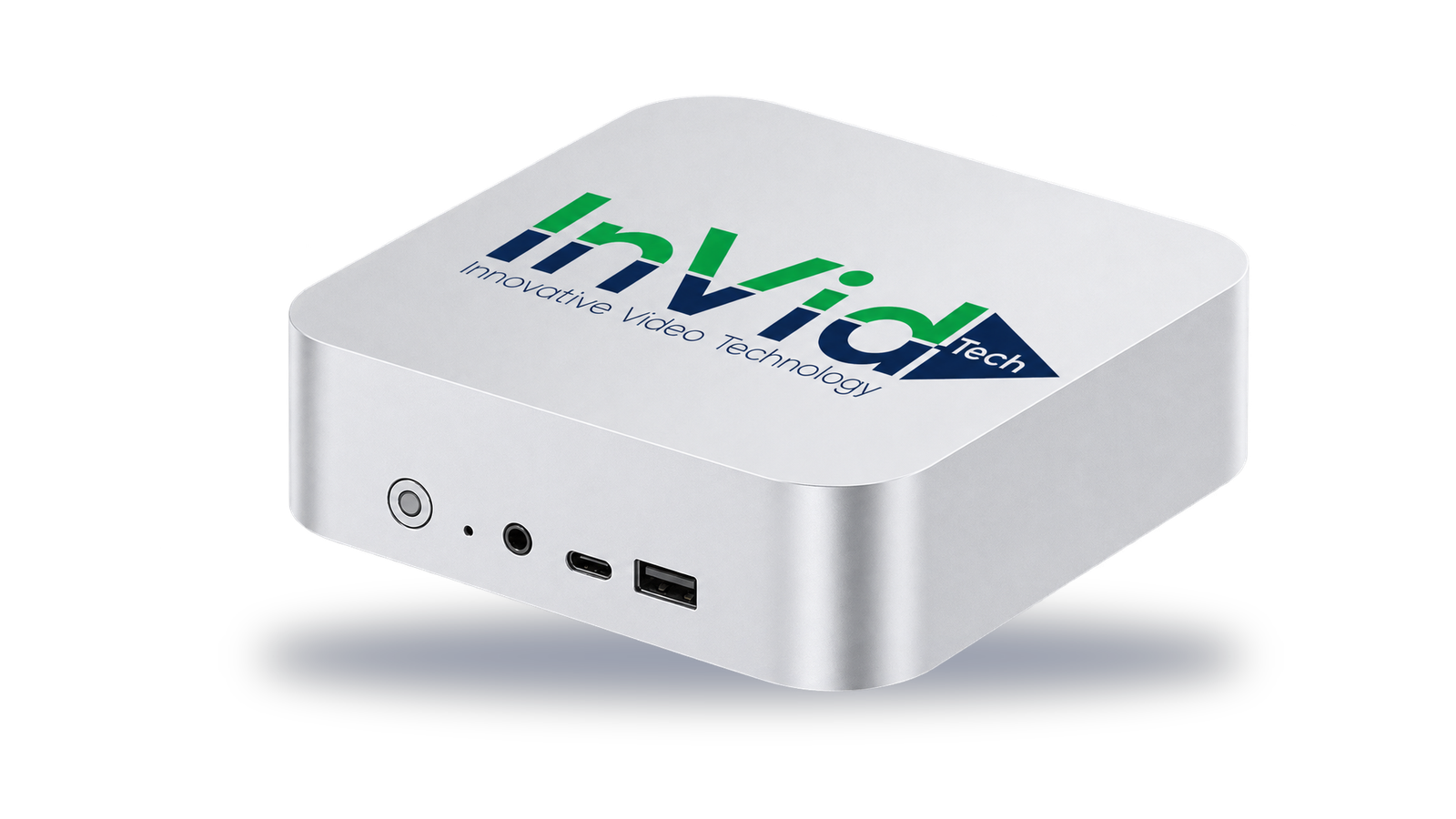
InVid Cloud AI Bridge
Channels SKU Local buffer*
8INVID-CLOUDAI-8~2 days
16INVID-CLOUDAI-16~2 days
32INVID-CLOUDAI-32~3 days
64INVID-CLOUDAI-64~3 days
128INVID-CLOUDAI-128~7 days

*Conservative estimate of how long the Bridge can hold footage locally during an internet outage. Local search and playback also work from the Bridge.

Pick 2

A storage license

Billed annually, per camera. Choose the retention length:

30 days 90 days 1 year 2 years 3 years
Recording mode
✓Motion / AI-triggered: standard
✓Continuous 24/7: additional cost, same retention options
Resolution
2MP standard. 4MP, 5MP, 6MP and 8MP licenses at additional cost. Need a retention length not listed? Ask your InVid rep.

Where Cloud AI pays off

The jobs where an off-site copy is the easiest sale.

Existing customers
Upgrade any installed system. No new cameras or NVR.
Retail chains
Mixed gear, many stores, one dashboard.
Property management
Every building visible, every camera checked daily.
Schools and campuses
Many buildings, footage off site and searchable.
Long retention
1, 2 or 3 years in the cloud, not a box of drives.
High-theft sites
When the recorder gets grabbed, the footage is already off site.
Before you install: 4 things that prevent callbacks
Match the license to the recording resolution. The license must match the device's native recording resolution, or lower the device to match before cloud recording starts. A mismatch can make the cloud record a low-res sub-stream, and lost high-res footage can't be recovered.
Plan the upload bandwidth. Recommended: 1 Mb upload per camera at 1080p or below, 2 Mb per camera above 1080p.
Set static LAN IPs. Devices default to DHCP. If an IP changes, the camera can disconnect and stop recording to the cloud.
Change default passwords first. Do it before setup. Changing passwords after activation can disconnect devices and stop recording.

Getting a site live

Five steps from quote to cloud.

01
Choose
Pick the Bridge size and retention length.
02
Submit the form
Complete the onboarding form with job and device details.
03
Connect the Bridge
Put it on the job-site network and send the serial number. InVid activates the account.
04
Log in
Use the web portal for live view, recordings and AI search.
05
Verify in 48 hours
Confirm every camera is live and settings match. Report issues within that window.

Questions dealers ask

Does Cloud AI replace the customer's NVR?
No. It's an off-site backup that runs alongside the existing recorder. Live view is available in the portal, but day-to-day monitoring still belongs on the customer's CMS.
Does it work with cameras that aren't InVid?
Yes. Cloud AI works with InVid and other-brand DVRs, NVRs and IP cameras, on existing systems or new installs.
What happens if the internet goes down?
The Bridge keeps recording locally and uploads once the connection returns. Depending on the Bridge size, it can hold roughly 2 to 7 days of footage. Local search and playback also work from the Bridge.
Do I need port forwarding?
No.
How much upload bandwidth does it need?
We recommend 1 Mb of upload per camera at 1080p or below, and 2 Mb per camera above 1080p.
How is it billed?
The Bridge is a one-time hardware purchase. Storage licenses are billed annually, per camera, based on recording mode, resolution and retention length. Licenses are non-refundable, with no credits for early termination or cancellation before the term ends.
What do I need to start a setup?
The job name, camera and recorder usernames and passwords, total camera count with channel numbers (or camera IPs for standalone cameras), and static LAN IPs if InVid is doing the setup. Submit it all through the onboarding form.

Ready to quote Cloud AI?

Tell us about the site and we'll help you size the Bridge and pick the plan. Live chat is also available on our website during business hours.